Run Nemotron 3 Ultra as your coding assistant
Use NVIDIA's 550B model in your terminal through OpenCode. Free API, no GPU, no credit card.
Before you start
Have these ready:
- A Windows, macOS, or Linux computer with internet
- Node.js LTS and Python 3
- A free NVIDIA account
PrivacyNVIDIA logs free-tier usage. Do not send confidential code or personal data.
1
Check Node.js and Python
Confirm both tools are installed.
- Open PowerShell (Start menu, type
PowerShell). - Open Terminal.
- Run both commands:
node -v
python --version
node -v
python3 --version
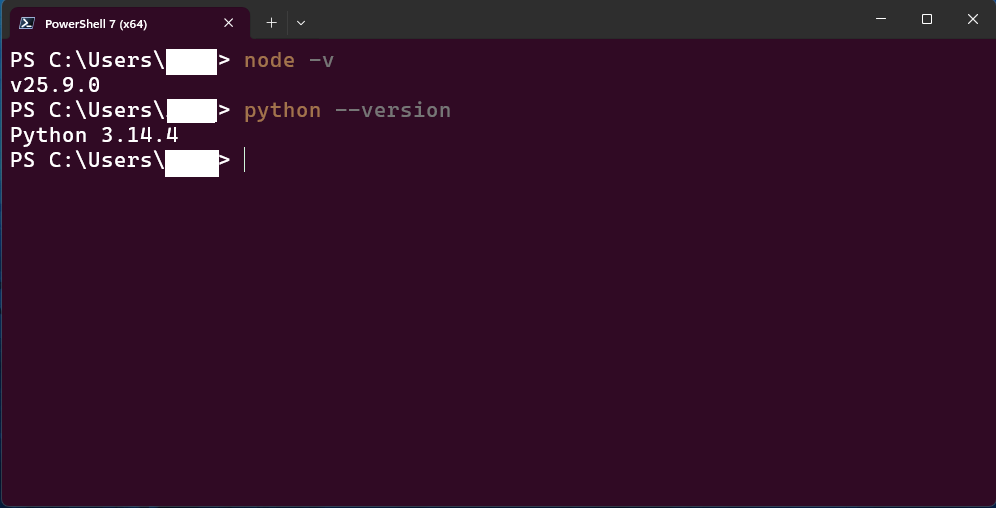
It worked ifYou see a version for each, for example
v22.x and Python 3.x.✅ Do
- Install the LTS version of Node.js
- Tick "Add Python to PATH" in the Python installer
❌ Don't
- Continue if either command says "not recognized"
2
Install OpenCode
Install the terminal app that talks to the model.
npm i -g opencode-ai
opencode --version
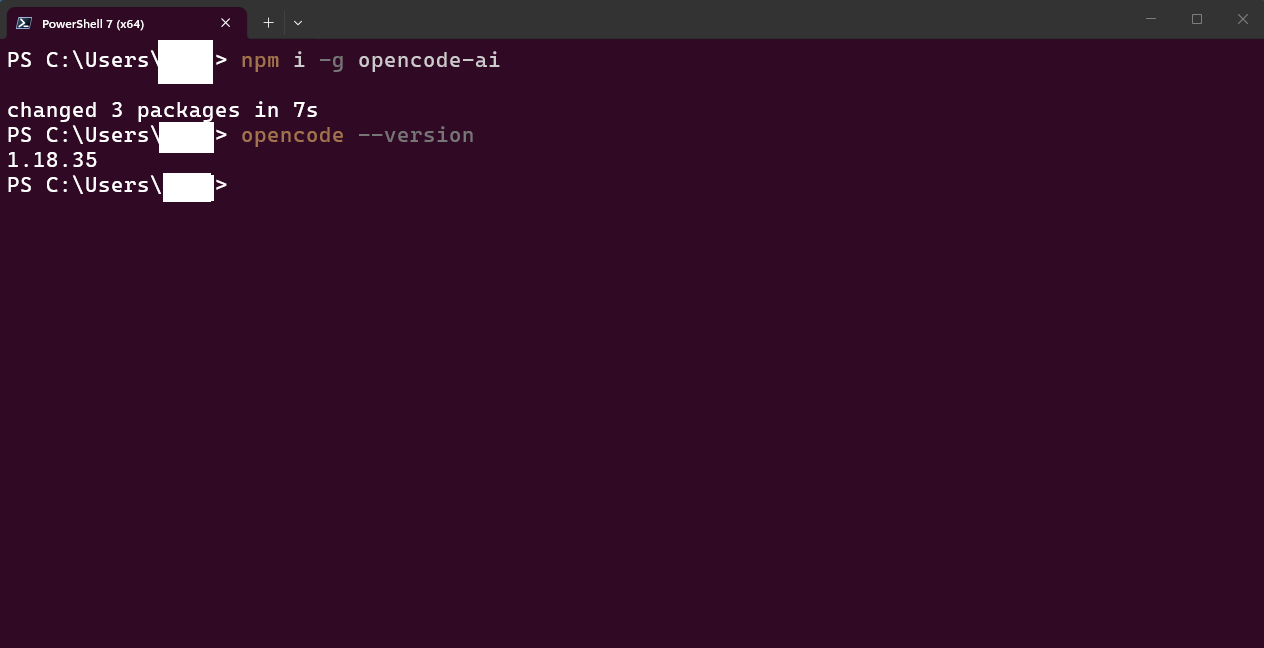
It worked if
opencode --version prints a number such as 1.18.35.OptionalThe setup script in step 4 also installs OpenCode. Doing it here just confirms npm works.
3
Get your free NVIDIA API key
Create the key that lets OpenCode use the model.
- Go to build.nvidia.com and sign in (create a free account if needed).
- In the search box, type
nemotron-3-ultra-550b-a55band open nvidia/nemotron-3-ultra-550b-a55b.
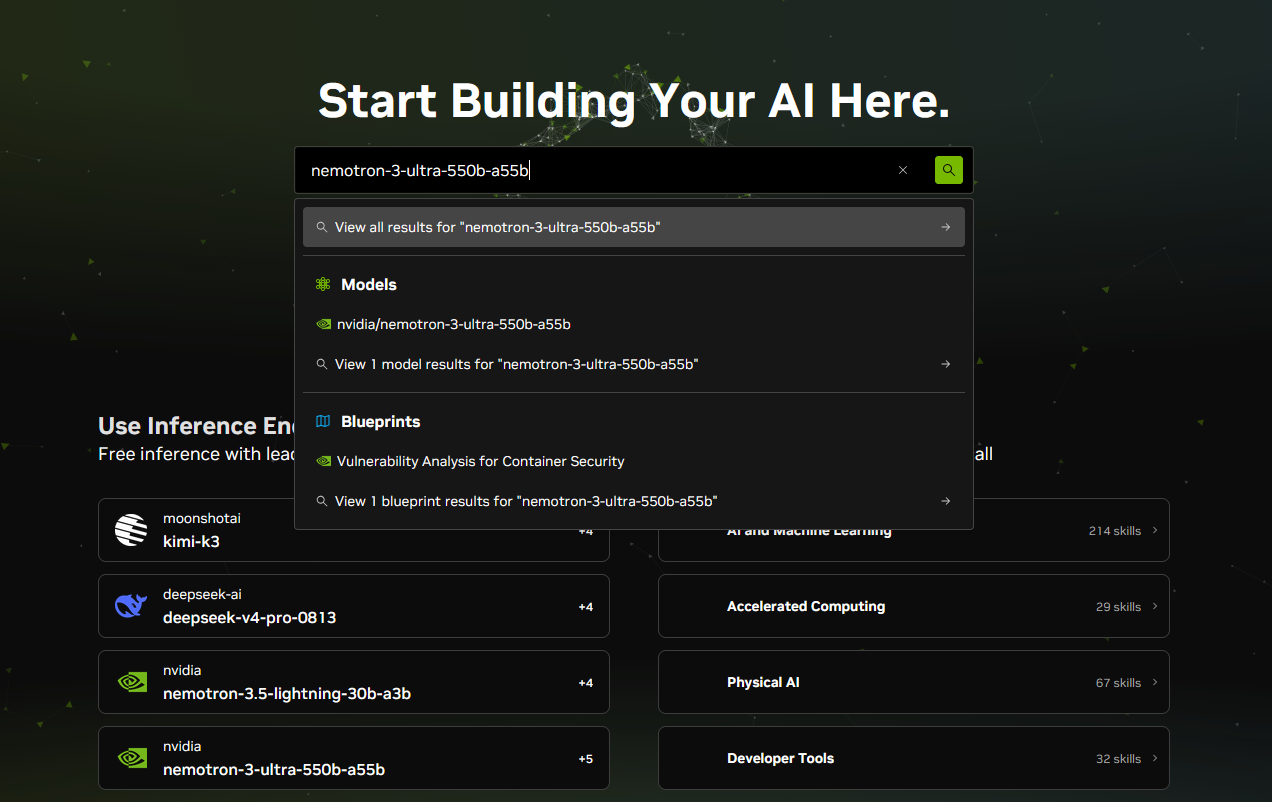
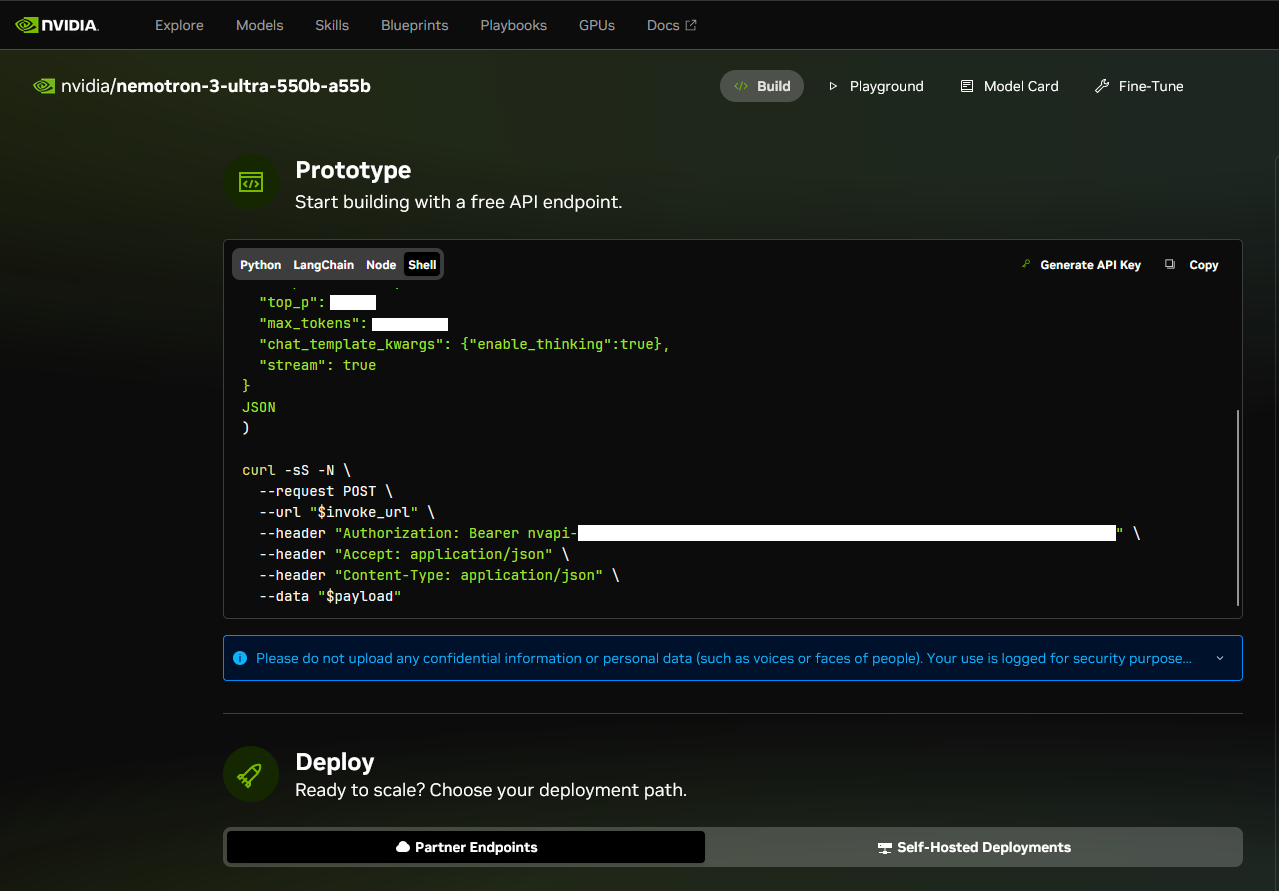
- On the Build tab, click Generate API Key.
- Copy the full key. It starts with
nvapi-.
✅ Do
- Copy the whole key, including
nvapi- - Keep it somewhere private
❌ Don't
- Share the key or post it in screenshots
- Paste it into any file you commit
4
Download the repo and run the setup
One script installs OpenCode, saves your key, and writes the config.
Download
git clone https://github.com/Aj-Networks/nemotron-3-ultra.git
cd nemotron-3-ultra
No git? Use Download ZIP, extract it, and open the folder in your terminal.
Run the setup
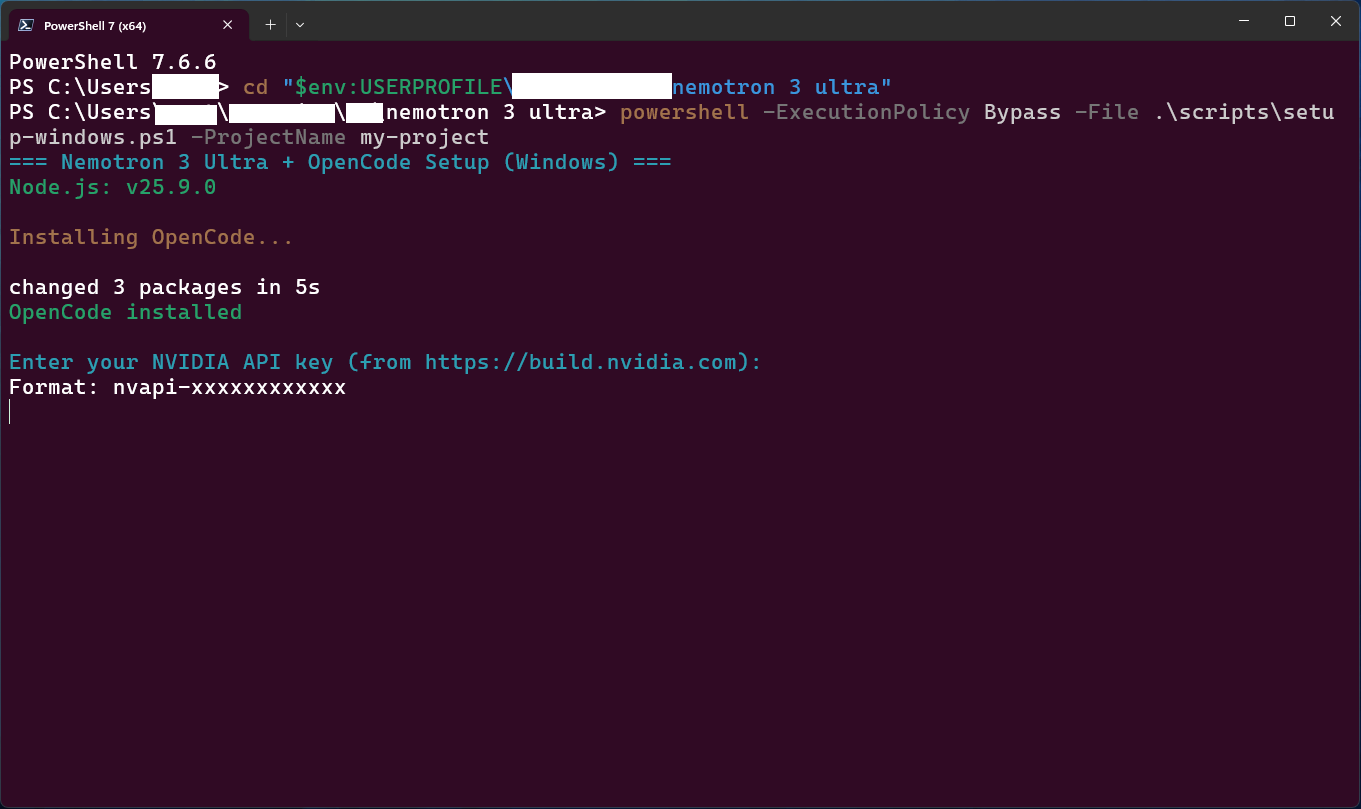
powershell -ExecutionPolicy Bypass -File .\scripts\setup-windows.ps1 -ProjectName my-project
chmod +x scripts/setup-unix.sh
./scripts/setup-unix.sh my-project
When asked, paste your API key and press Enter.
✅ Do
- Use PowerShell
- Close and reopen the terminal after setup so the key loads
❌ Don't
- Run it in Git Bash or CMD. It will fail with "command not found".
- Skip reopening the terminal
5
Verify everything
Run all checks without opening OpenCode.
- Open a new terminal.
- Go to the repo folder, then run the checks:
cd path\to\nemotron-3-ultra
python scripts/opencode_runner.py my-project --verify-only
cd path/to/nemotron-3-ultra
python3 scripts/opencode_runner.py my-project --verify-only
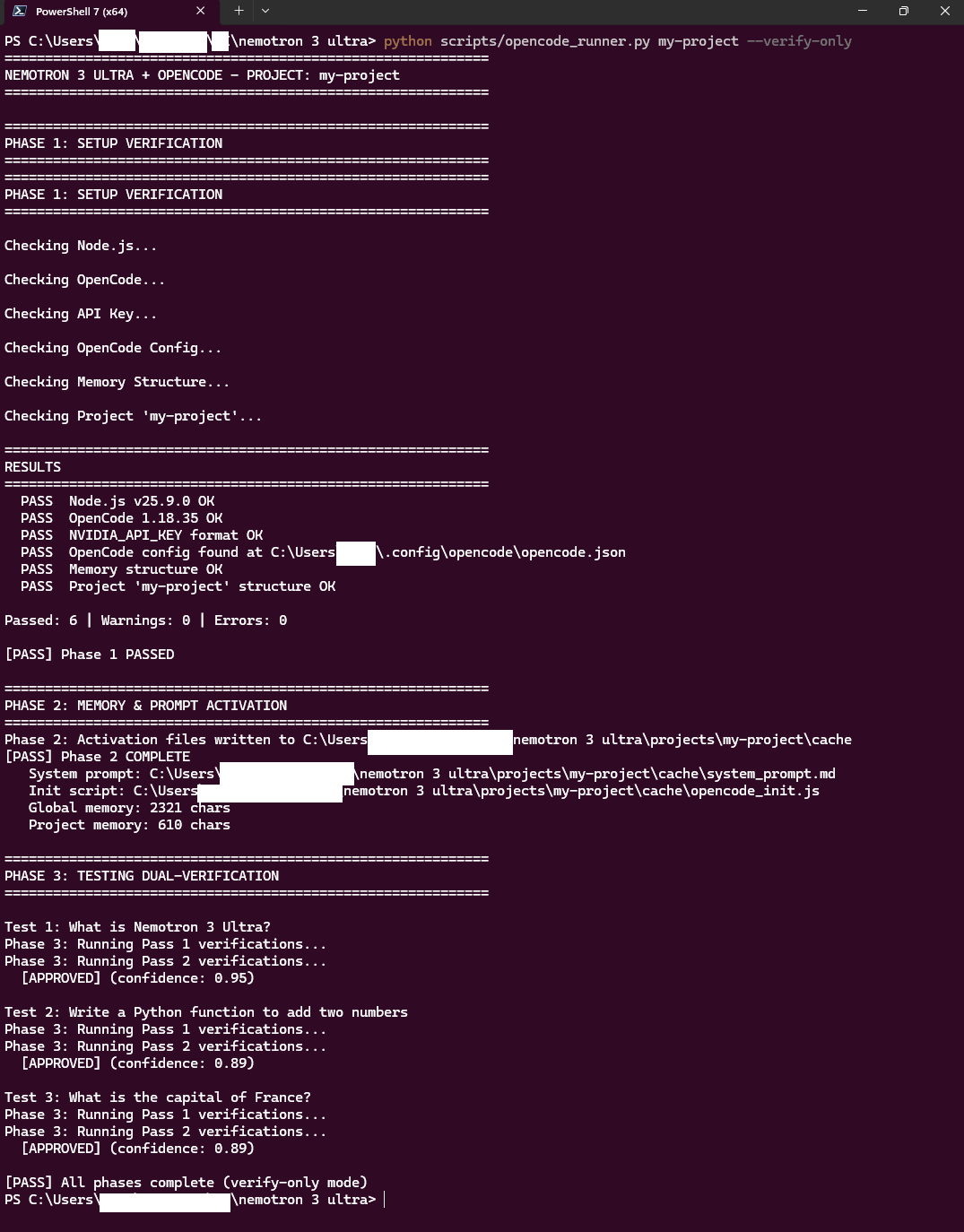
It worked ifEvery line says
PASS and the last line says All phases complete.New terminal, new folderEvery new terminal starts in your home folder. Always
cd into the repo first.6
Start coding
Launch OpenCode with Nemotron 3 Ultra.
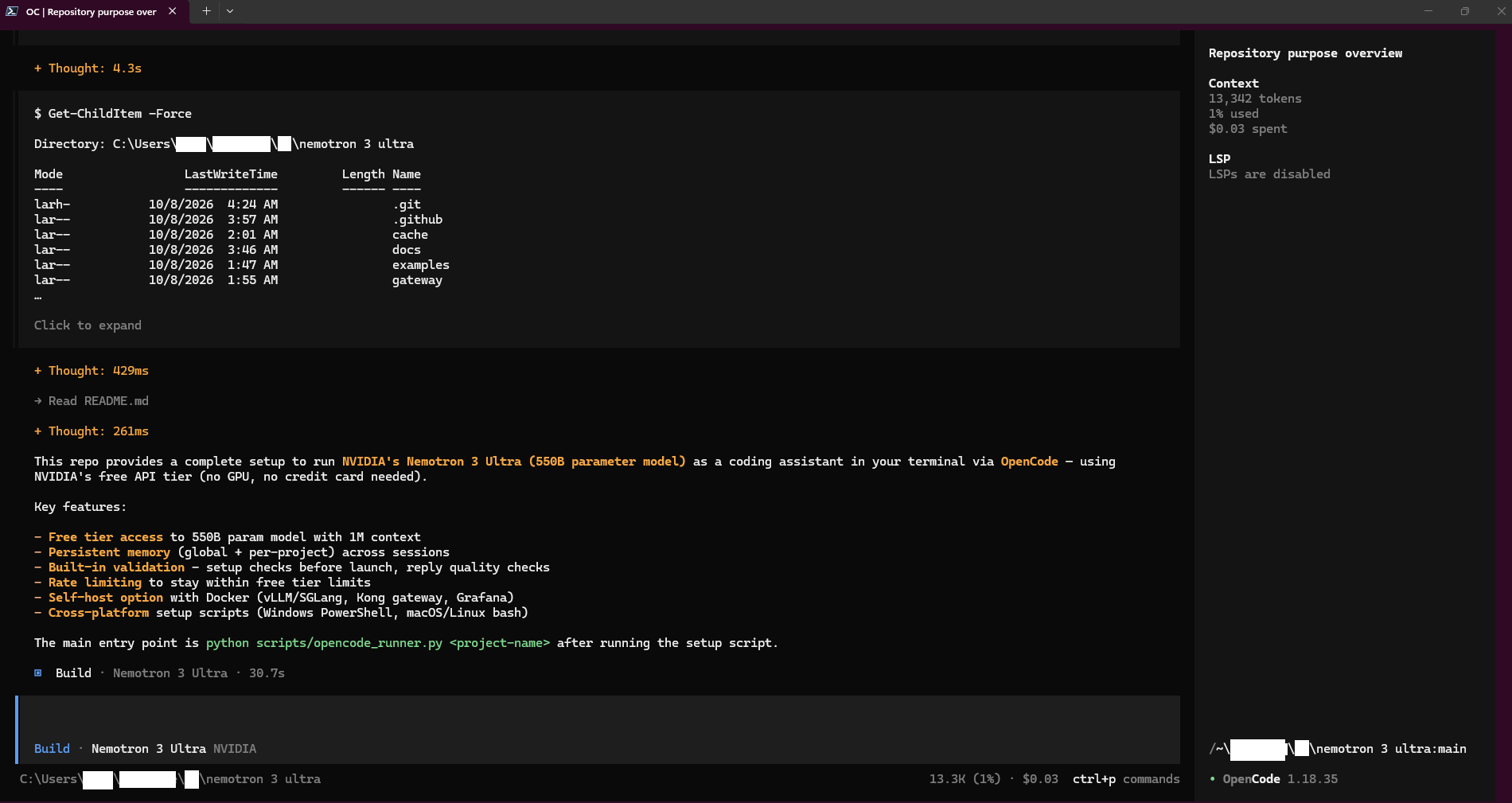
python scripts/opencode_runner.py my-project
python3 scripts/opencode_runner.py my-project
- Check the bottom bar shows Nemotron 3 Ultra. If not, type
/modelsinside OpenCode and pick it. - Try a first prompt:
explain what this repo does in 3 bullet points
✅ Do
- Type
/commands inside OpenCode, not in the terminal - Exit with
Ctrl+Cor/exit
❌ Don't
- Send passwords, keys, or private data
- Fire many requests at once (free tier limit is about 10 to 20 per minute)
Troubleshooting
| Problem | Fix |
|---|---|
command not found for a .ps1 script | You are in Git Bash. Open PowerShell and use the step 4 command. |
can't open file ... scripts\... | Wrong folder. cd into the repo first. |
opencode is not recognized | Close and reopen the terminal. |
401 Unauthorized | Key not loaded. Reopen the terminal, or rerun the setup. |
403 Forbidden | Key invalid or revoked. Generate a new one (step 3). |
429 Too Many Requests | Free tier limit reached. Wait a few minutes. |
/models not recognized | You typed it in the terminal. Start OpenCode first (step 6). |
More in the full troubleshooting guide.
You're set up
Nemotron 3 Ultra is now your coding assistant. Next time, just run step 6.
- Share your thoughts: Reddit thread coming soon
- Found a bug? Open an issue
- Source: github.com/Aj-Networks/nemotron-3-ultra